Search Specific Vendors in a ROCS X 3D Library
Context
In a multi-vendor ROCS X 3D Library, you want to search a subset of vendors instead of all of the vendors.
Procedure
You can specify the vendors to search in the Vendor Selection parameter in either the Multi-Stage ROCS X Preparation Floe or the ROCS X - Run 3D Search Floe. In the Vendor Selection field, type in a comma or blank delimited list of vendor keys you want to search. The vendor keys are what you used for the VendorX_ID fields to build the library in the Multi-Stage ROCS X Preparation Floe or the Reaction & Reagent Database - Multi-vendor - Create from BULK SMILES Floe.
Tip
You can quickly view the vendor keys for a ROCS X 3D Library by looking at the Type Hints metadata on Orion. To do this, hover your mouse over the “i” icon next to the resource on the Data page.
Here is an example of selecting the Enamine and Molport vendors to search a library that contains building blocks from Enamine, Mcule, and Molport.
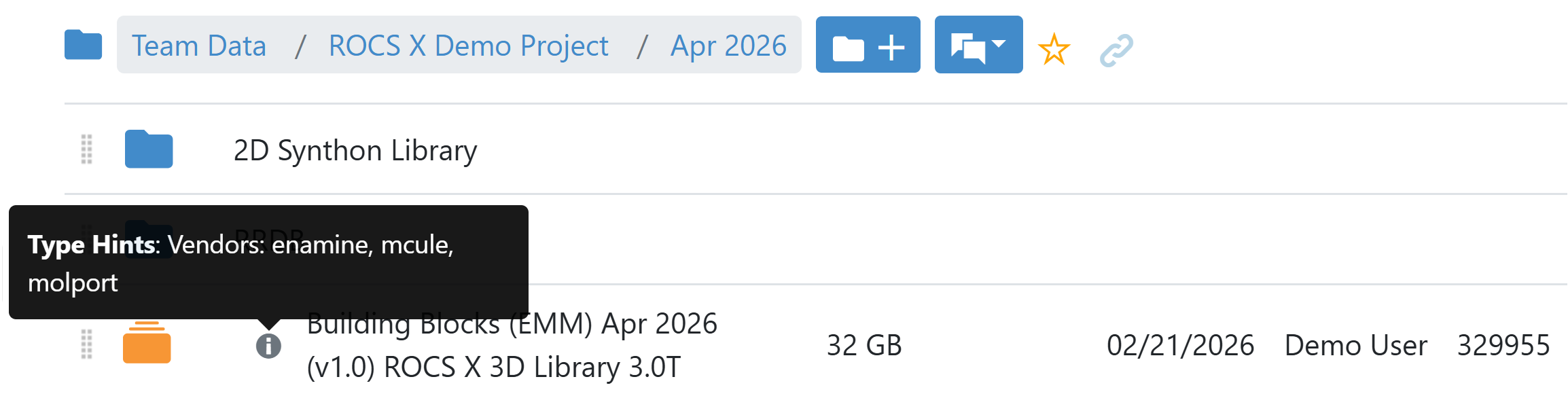
Figure 1. Viewing the vendor keys for a library from the Type Hints on Orion.
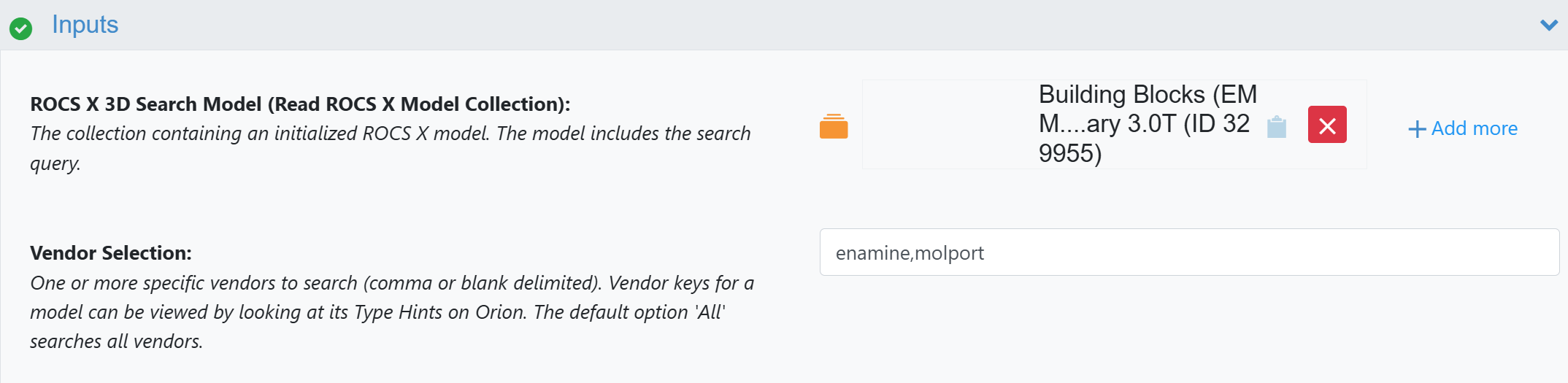
Figure 2. Entering a list of vendors to search.