Run a 2D Substructure Search on a ROCS X Library
Context
You want to run a 2D substructure search on a ROCS X library.
Procedure
The ROCS X - 2D Substructure Search Floe does not use the ROCS X 3D Library. Instead, it uses the 2D Synthon Library that is processed to build the ROCS X 3D Library. If you ran the Multi-Stage ROCS X Preparation Floe, the 2D Synthon Library is the output for the Stage 2 (Reaction & Reagent Database - Parallel Export Synthon Collection Floe from the Generative Design Hit to Lead Floes package). Here is one method to load a 2D Synthon Library into the ROCS X - 2D Substructure Search Floe:
On the Jobs tab, click on the name of the head job (see Multi-Stage ROCS X Preparation-ROCS X Quick Start in Figure 4 in the tutorial).
Click the “View In Project Data” button next to Results. Find a ROCS X 2D synthon library collection and click the “Send to Workfloe” button on the right.
Search for the ROCS X - 2D Substructure Search Floe and select it to bring up the Job Form.
Under Inputs, the 2D synthon library should be loaded into the ROCS X 2D Synthon Library parameter (Figure 1).
Fill out the rest of the Job Form for the 2D substructure search and click the “Start Job” button.
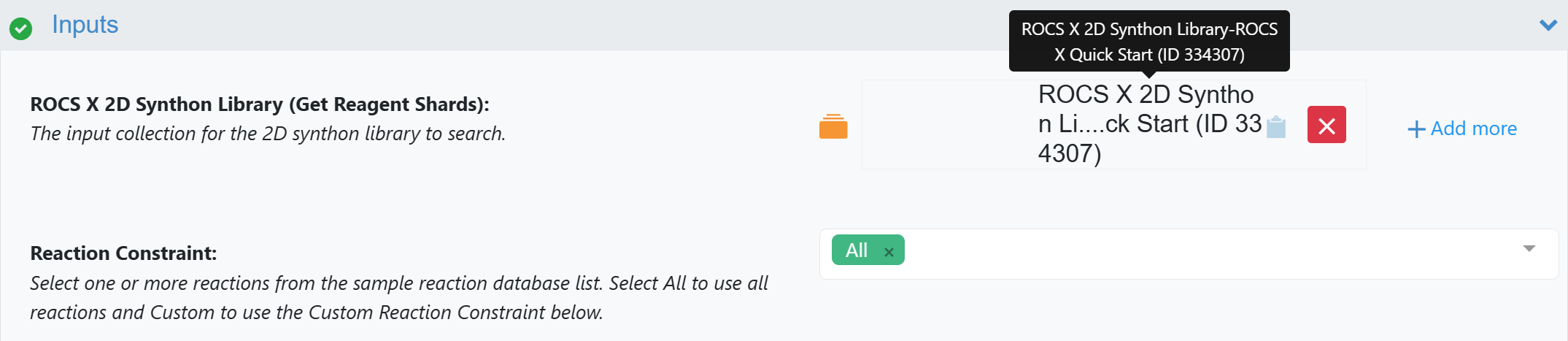
Figure 1. Loading a 2D Synthon Library into the ROCS X - 2D Substructure Search Floe.