Extend MD Simulations
The goal of the Extend MD Simulations Floe is to run long molecular dynamics (MD) simulations in the NPT ensemble, overcoming the AWS limitation to run parallel cubes for more than 12 hours. The floe uses a floe topology cycle to address the issue of saving checkpoints along the runs and restarting the MD simulations before the AWS running time limit is reached. The floe map is shown below.

Figure 1. The floe map for the Extend MD Simulations Floe.
Of note is the Recovery Restart Cube. The cube detects if a new start is needed, if an attempt to restart is in progress, or if a recovery restart is required. In addition, this cube examines the input datasets to check if they have been produced by another MD floe, such as the FE-NES for Binding Affinity Prediction, Solvate and Run MD, or Bound Protein-Ligand MD Floes, or from an MD Analysis floe like Short Trajectory MD with Analysis or Analyze Protein-Ligand MD to perform the correct starting/restarting.
Floe Input and Outputs
The Extend MD Simulations Floe requires just one input MD dataset to run. This type of dataset is produced by one of the floes mentioned above. It can also accept datasets generated by the Analyze Protein-Ligand MD or the Short Trajectory MD with Analysis Floes. The inputs are shown in the Job Form in Figure 2.
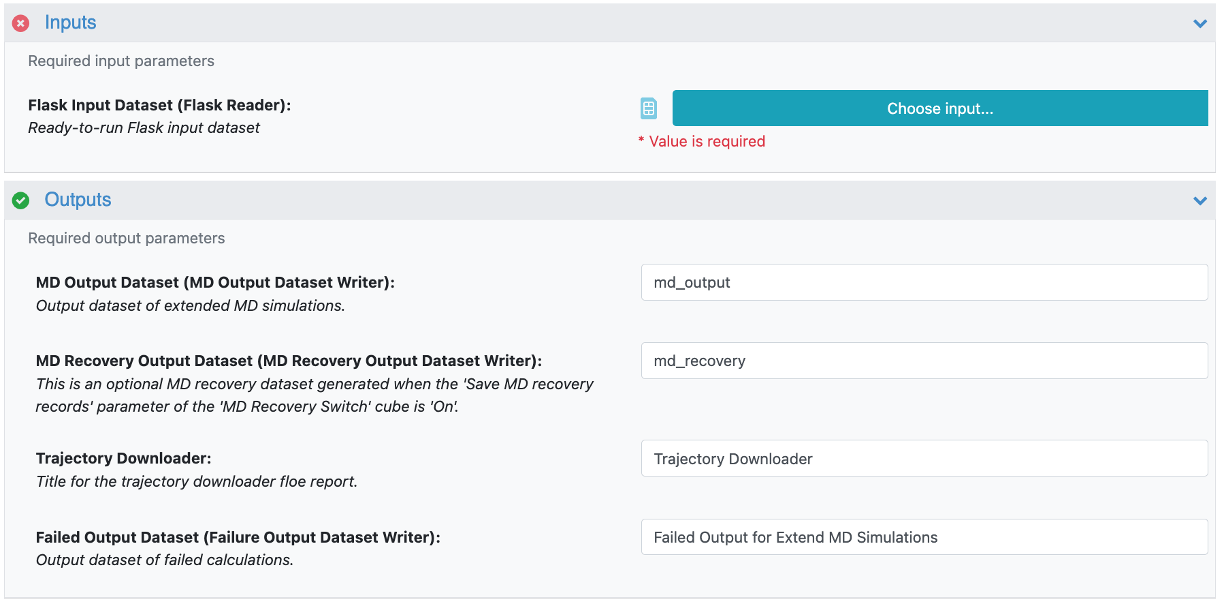
Figure 2. Input and outputs for the Extend MD Simulations Floe.
Of course the floe also requires setting the dataset names for the output, possible failure, and recovery datasets.
How to Use the Floe
On the Job Form, enter the input and output datasets before you address the promoted parameters, as shown in Figure 3.
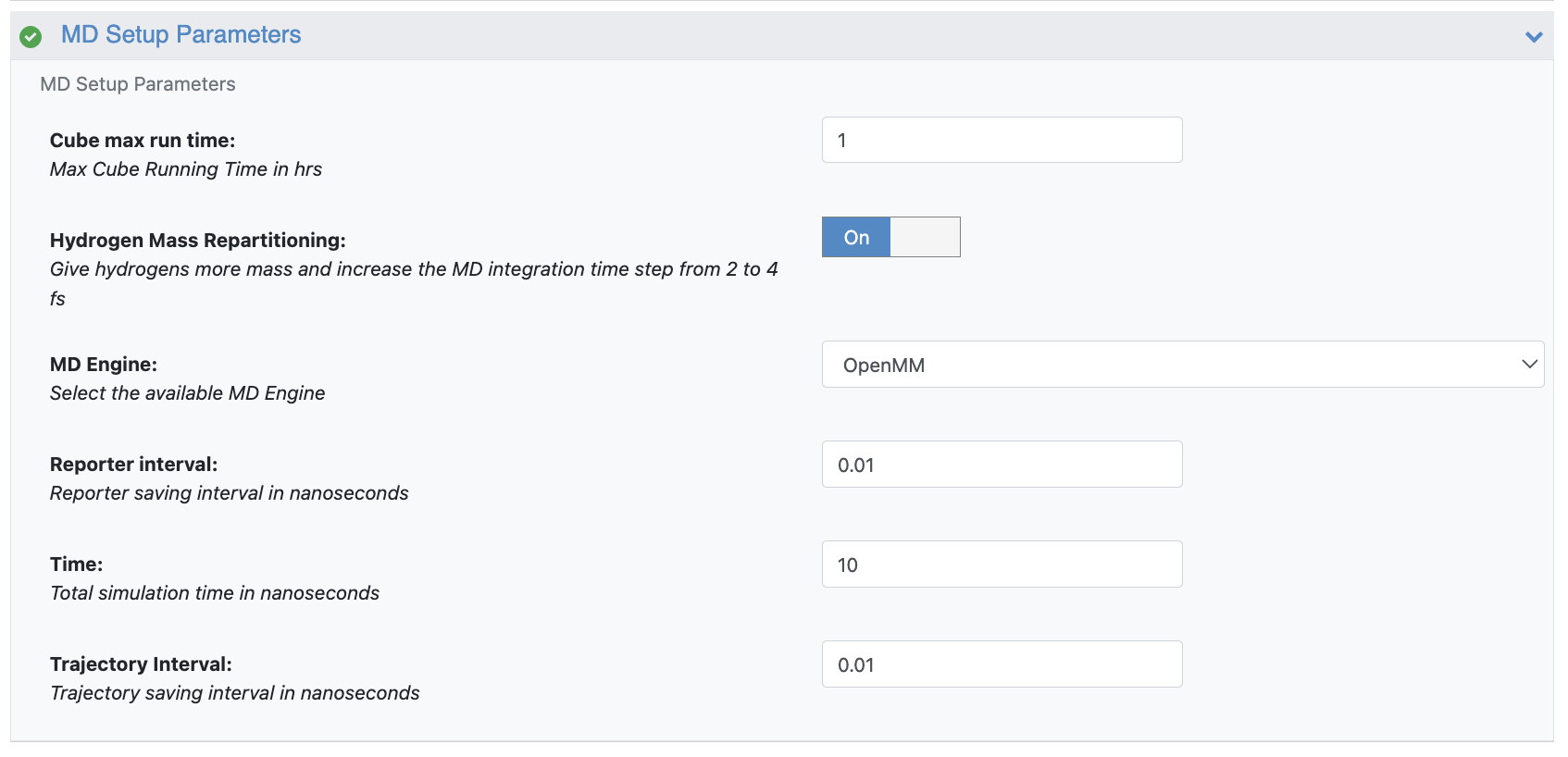
Figure 3. Parameters for the Extend MD Simulations Floe.
Some of the important parameters are described below.
Time: this parameter defines the total MD running time in ns.
Trajectory Interval: this parameter defines how often to save trajectory snapshots (#frames ~ Time/Trajectory Interval).
Cube Max Run Time: this parameter defines the maximum run time for each MD run in hours. This must be ≤10 hr and defines when to stop an MD run and attempt a new restart along the cycle. For example, if Cube Max Run Time is set to 5 hr, each MD run will be stopped every five hours and restarted until the selected running Time is reached.
After the floe has completed, two datasets are produced: the output and the recovery datasets.
The output dataset (named md_output by default) can be used in the following ways:
As input to the Analyze Protein-Ligand MD Floe for the trajectory analysis.
As input to the Extend MD Simulations Floe to further extend the MD simulation. For example, after completing 10 ns runs of Extend MD Simulations, another 15 ns can be added by inputting the 10 ns output dataset and selecting 15 ns as the new running Time, for a total running time of 25 ns. The Extend MD Simulations Floe should detect the restart and run for another 15 ns.
As input to the FE-NES for Binding Affinity Prediction Floe to run free energy calculations on the extended sampling.
The recovery dataset should be used if something goes wrong during the runs. For example, if the floe performed 10 MD simulations, and seven succeeded but three failed, you can input the recovery dataset to the Extend MD Simulations Floe, and the floe will attempt to restart the three failed simulations from the last available checkpoints. To learn more about using the recovery dataset, check the Using the Recovery Dataset for MD Floes tutorial.