OEMonomerGraphDisplayOptions
Attention
This is a preliminary API and may be improved based on user feedback. It is currently available in C++ and Python.
class OEMonomerGraphDisplayOptions
The OEMonomerGraphDisplayOptions class
is used to customize molecule depiction when using OEDrawMonomerGraph function.
hover cursor over graph
Example of using the OEDrawMonomerGraph function
Default constructor. Copy constructor. Returns the interactive effect of the generated Returns the functor that is used to determine the color used to draw the glyph representing the monomer.
By default, the Returns the scaling factor of monomer components in interactive mode. Returns the functor that is used to determine the circle style used to draw the glyph representing the monomer.
By default, the Returns the functor that is used to determine the color of the font used to depict the monomer code.
By default, the Sets the interactive effect of the generated See also Sets the functor that is used to determine the color used to draw the glyph representing the monomer. Sets the scaling factor of monomer components in interactive mode. This value has to be in a range of [0.25, 0.75]. The default value is 0.50. Note This option has to be used along with the
Sets the functor that is used to determine the circle style used to draw the glyph representing the monomer. Sets the functor that is used to determine the color of the font used to depict the monomer code.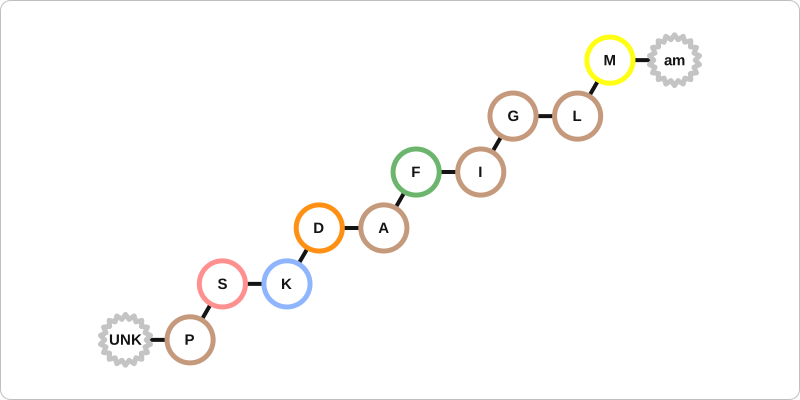
Constructors
OEMonomerGraphDisplayOptions() -> OEMonomerGraphDisplayOptions
OEMonomerGraphDisplayOptions(rhs: OEMonomerGraphDisplayOptions) -> OEMonomerGraphDisplayOptions
GetInteractiveEffect
GetInteractiveEffect() -> int
svg image.GetMonomerColorFunctor
GetMonomerColorFunctor() -> OEMonomerColorBase
OEMonomerColorDefault functor is used.GetMonomerScale
GetMonomerScale() -> float
GetMonomerGlyphStyleFunctor
GetMonomerGlyphStyleFunctor() -> OEMonomerGlyphStyleBase
OEMonomerGlyphStyleDefault functor is used.GetMonomerLabelColorFunctor
GetMonomerLabelColorFunctor() -> OEMonomerColorBase
OEMonomerColorMonochrome functor is used
to set all monomer code fonts to black.SetInteractiveEffect
SetInteractiveEffect(effect: int) -> None
svg image.
In interactive mode, the structures of the monomers that make up the molecule
are shown on mouse-over or mouse-click.
OEInteractiveEffect namespace for available interactive effects.SetMonomerColorFunctor
SetMonomerColorFunctor(func: OEMonomerColorBase) -> None
SetMonomerScale
SetMonomerScale(scale: float) -> None
OEMonomerGraphDisplayOptions.SetInteractiveEffect methodSetMonomerGlyphStyleFunctor
SetMonomerGlyphStyleFunctor(func: OEMonomerGlyphStyleBase) -> None
SetMonomerLabelColorFunctor
SetMonomerLabelColorFunctor(func: OEMonomerColorBase) -> None