Generating 2D Ring Dictionary Report
A program that generate a multi-page PDF report of the 2D ring dictionary.
Command Line Interface
A description of the command line interface can be obtained by executing the program with the –help argument.
prompt> python ringdict2pdf.py --help
Will generate the following output:
Simple parameter list
    input/output options :
      -out : Output filename
      -ringdict : Input ring dictionary filename

    report options :
      -colsperpage : Number of columns per page
      -pageheight : Page height
      -pageorientation : Page orientation
      -pagesize : Page size
      -pagewidth : Page width
      -rowsperpage : Number of rows per page
Code
Download code
#!/usr/bin/env python
# (C) 2022 Cadence Design Systems, Inc. (Cadence)
# All rights reserved.
# TERMS FOR USE OF SAMPLE CODE The software below ("Sample Code") is
# provided to current licensees or subscribers of Cadence products or
# SaaS offerings (each a "Customer").
# Customer is hereby permitted to use, copy, and modify the Sample Code,
# subject to these terms. Cadence claims no rights to Customer's
# modifications. Modification of Sample Code is at Customer's sole and
# exclusive risk. Sample Code may require Customer to have a then
# current license or subscription to the applicable Cadence offering.
# THE SAMPLE CODE IS PROVIDED "AS IS", WITHOUT WARRANTY OF ANY KIND,
# EXPRESS OR IMPLIED.  OPENEYE DISCLAIMS ALL WARRANTIES, INCLUDING, BUT
# NOT LIMITED TO, WARRANTIES OF MERCHANTABILITY, FITNESS FOR A
# PARTICULAR PURPOSE AND NONINFRINGEMENT. In no event shall Cadence be
# liable for any damages or liability in connection with the Sample Code
# or its use.

#############################################################################
# Converts a ring dictionary into a multi-page PDF document.
#############################################################################

import sys
from openeye import oechem
from openeye import oedepict


def main(argv=[__name__]):

    itf = oechem.OEInterface(InterfaceData)
    oedepict.OEConfigureReportOptions(itf)

    if not oechem.OEParseCommandLine(itf, argv):
        oechem.OEThrow.Fatal("Unable to interpret command line!")

    ifname = itf.GetString("-ringdict")
    ofname = itf.GetString("-out")

    if not oechem.OEIsValid2DRingDictionary(ifname):
        oechem.OEThrow.Fatal("Invalid ring dictionary file!")

    ringdict = oechem.OE2DRingDictionary(ifname)

    ropts = oedepict.OEReportOptions()
    oedepict.OESetupReportOptions(ropts, itf)

    oedepict.OEWrite2DRingDictionaryReport(ofname, ringdict, ropts)

    return 0


#############################################################################
# INTERFACE
#############################################################################

InterfaceData = """
!BRIEF [-ringdict] <input ringdict> [-out] <output pdf>

!CATEGORY "input/output options :"

    !PARAMETER -ringdict
      !ALIAS -rd
      !TYPE string
      !REQUIRED true
      !KEYLESS 1
      !VISIBILITY simple
      !BRIEF Input ring dictionary filename
      !DETAIL
        2D ring dictionaries can be generated by the following OEChem examples:
        C++    - createringdict.cpp
        Python - createringdict.py
        Java   - CreateRingDict.java
        C#     - CreateRingDict.cs
    !END

    !PARAMETER -out
      !ALIAS -o
      !TYPE string
      !REQUIRED true
      !KEYLESS 2
      !VISIBILITY simple
      !BRIEF Output filename
    !END

!END
"""

if __name__ == "__main__":
    sys.exit(main(sys.argv))
See also
2D Coordinate Generation Examples section in the OEChem TK manual
OE2DRingDictionary class
OEIsValid2DRingDictionaryfunctionOEWrite2DRingDictionaryReportfunction
Example
prompt> python ringdict2pdf.py -ringdict rtd.oeb -out rtd.pdf
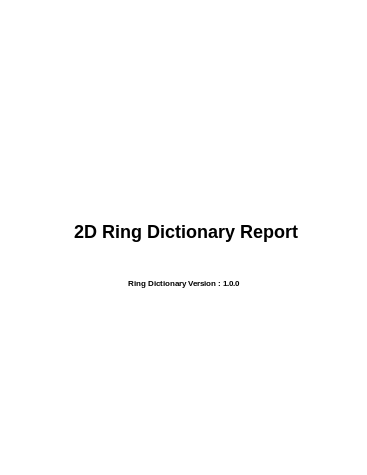
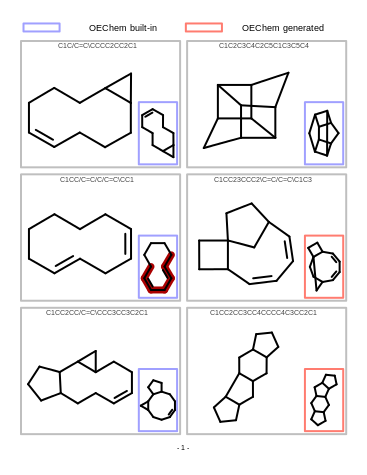
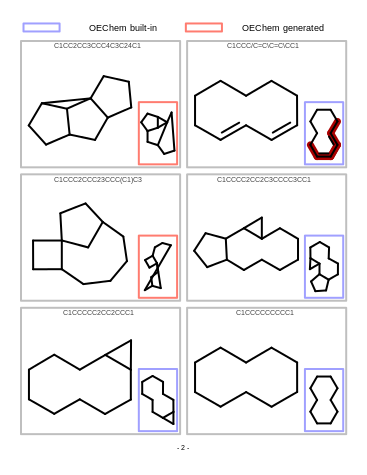
will generate a multi-page PDF report similar to the one shown in Table: Example of ring dictionary report.
cover page |
page 1 |
page 2 |
|
|
|
See also
OE2DRingDictionary class in the OEChem TK manual
2D Coordinate Generation Examples section in the OEChem TK manual that shows examples about how to create and manipulate user-defined ring dictionaries.